
Mac Screen Translation App — ScrTranslator
Translate text directly on your Mac screen
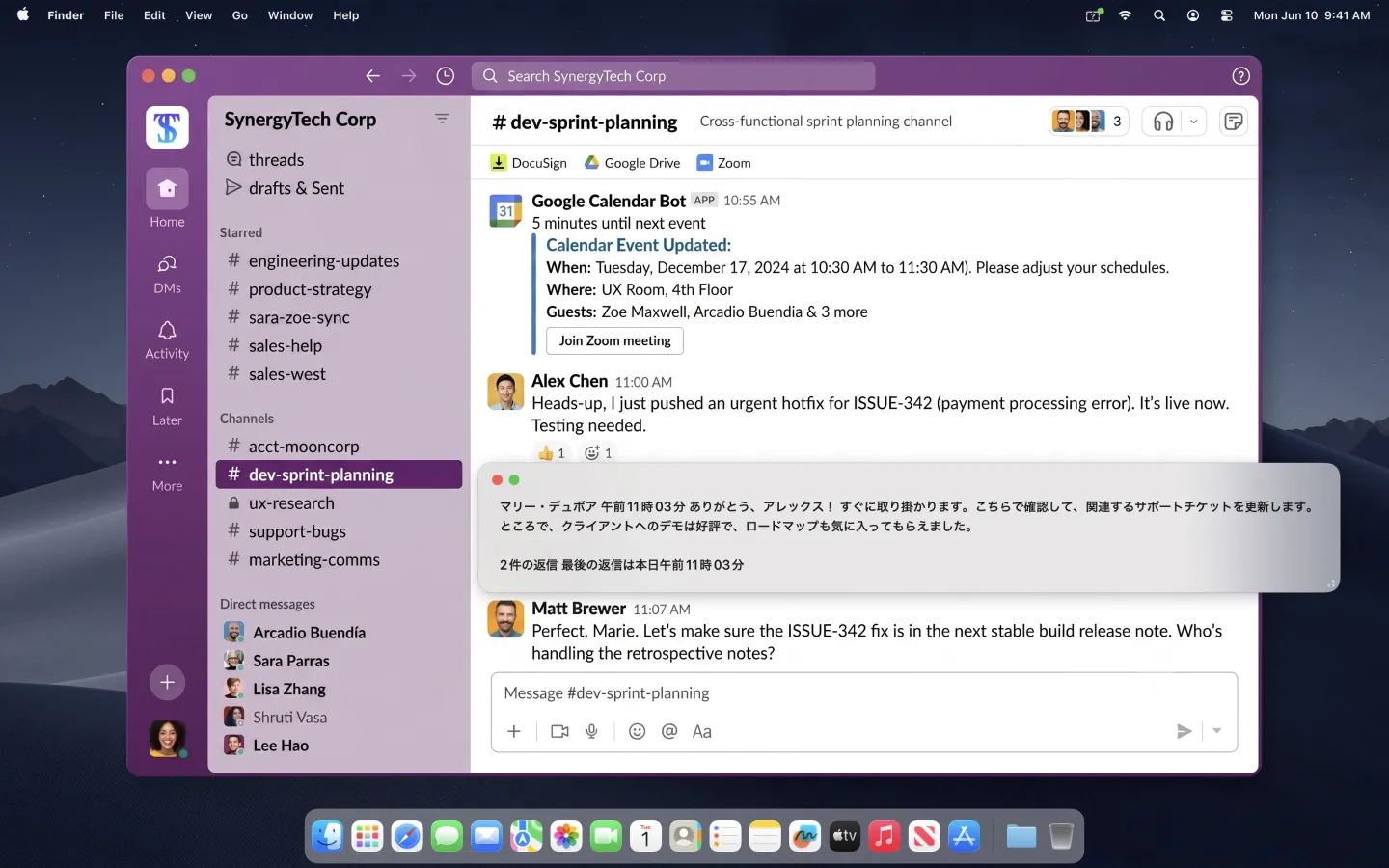
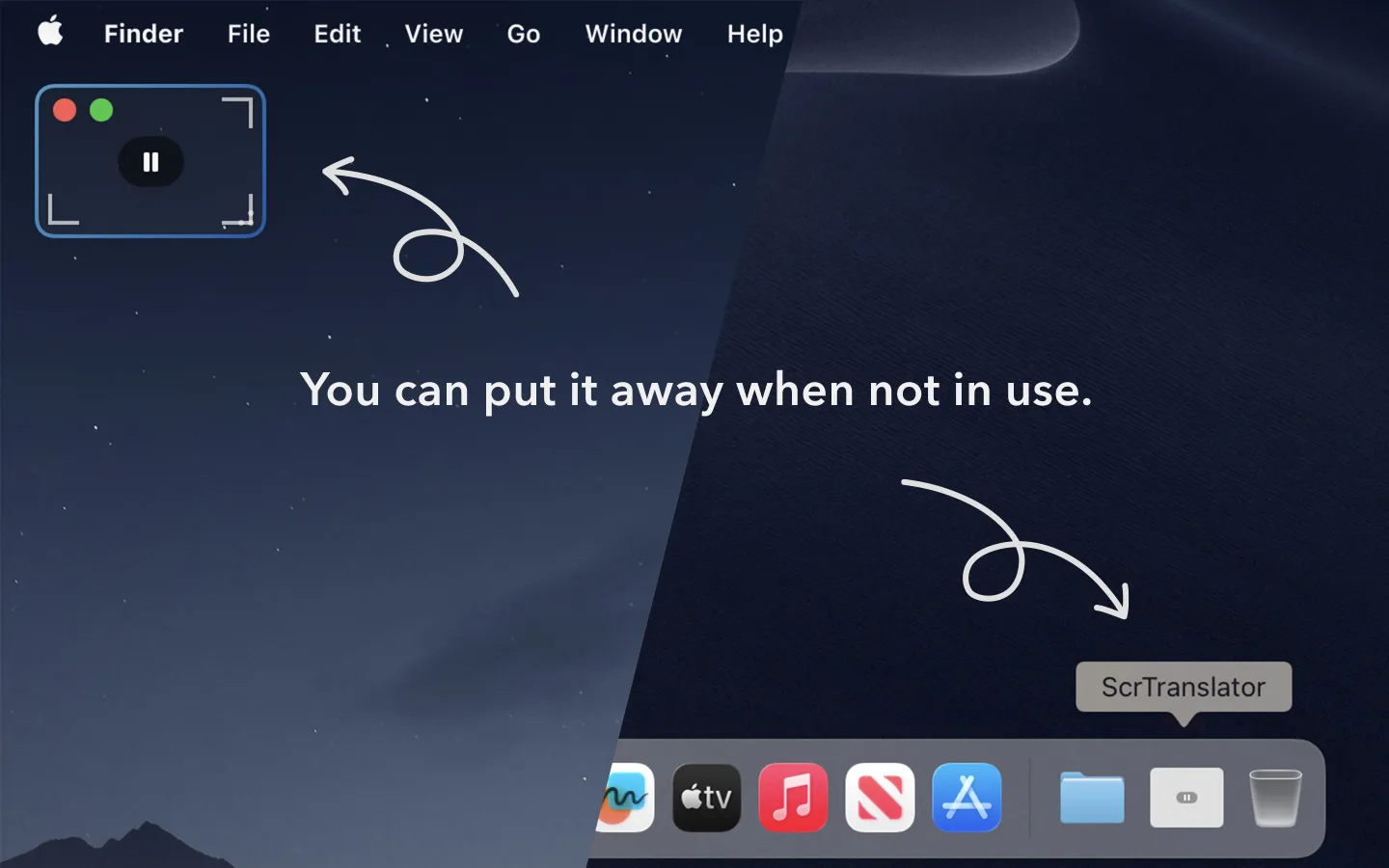
ScrTranslator is a translation lens for your Mac screen. Place its movable window over the text you want to understand, and the translation appears right there. There is no need to copy and paste or switch to a translation website.
Translate text in any Mac app
- Slack and Teams messages from international teammates — read without interrupting the conversation
- Foreign-language admin consoles and documentation — translate only the line you need
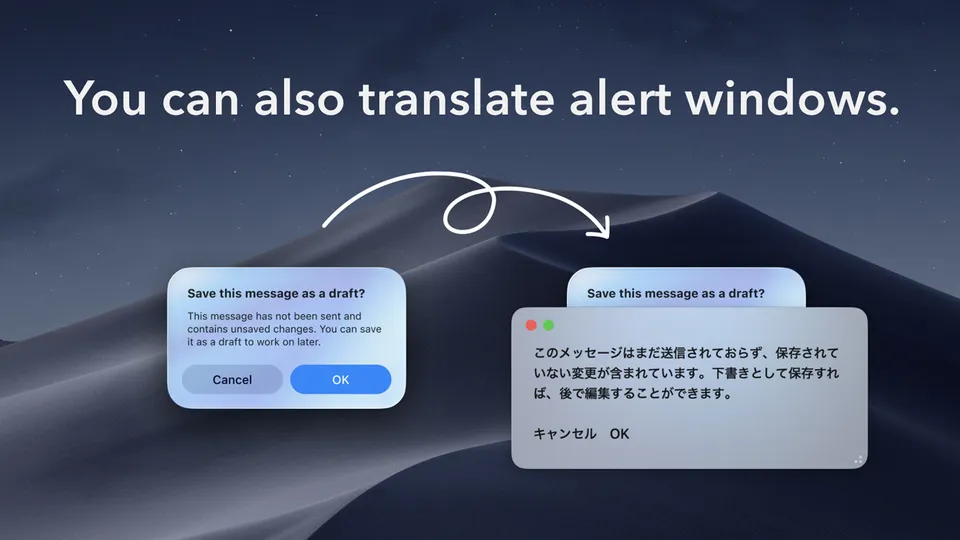
- Alerts and error dialogs — understand text that cannot be selected or copied
- PDFs, images, and video subtitles — translate text as long as it is visible on screen
Private, on-device Mac translation
- On-device by default — standard translations use the features built into macOS
- Works offline — download your languages in advance and translate without an internet connection
- Free English translation — translate between English and your system language without a usage limit
- No data collection — no account registration is required
How to translate your Mac screen
- Open the lens from the menu bar or press Control–Option–E
- Move the lens over the text you want to translate
- Read the translation in place without leaving your current app
ScrTranslator Mac screen translation examples
Mac screen translation FAQ
Can ScrTranslator translate text that cannot be copied?
Yes. ScrTranslator reads visible text beneath its lens, so it can translate non-selectable text in images, PDFs, video subtitles, alerts, and other Mac apps.
Does Mac screen translation work offline?
Yes. Standard translation uses the translation features built into macOS and runs on your Mac. Download the required languages in macOS before going offline.
Which macOS version does ScrTranslator require?
ScrTranslator requires macOS 15.2 or later. Screen Recording permission is required so the app can read the text visible beneath its lens.