
Mac画面翻訳アプリ ScrTranslator
Macの画面をその場で翻訳するScrTranslatorについて
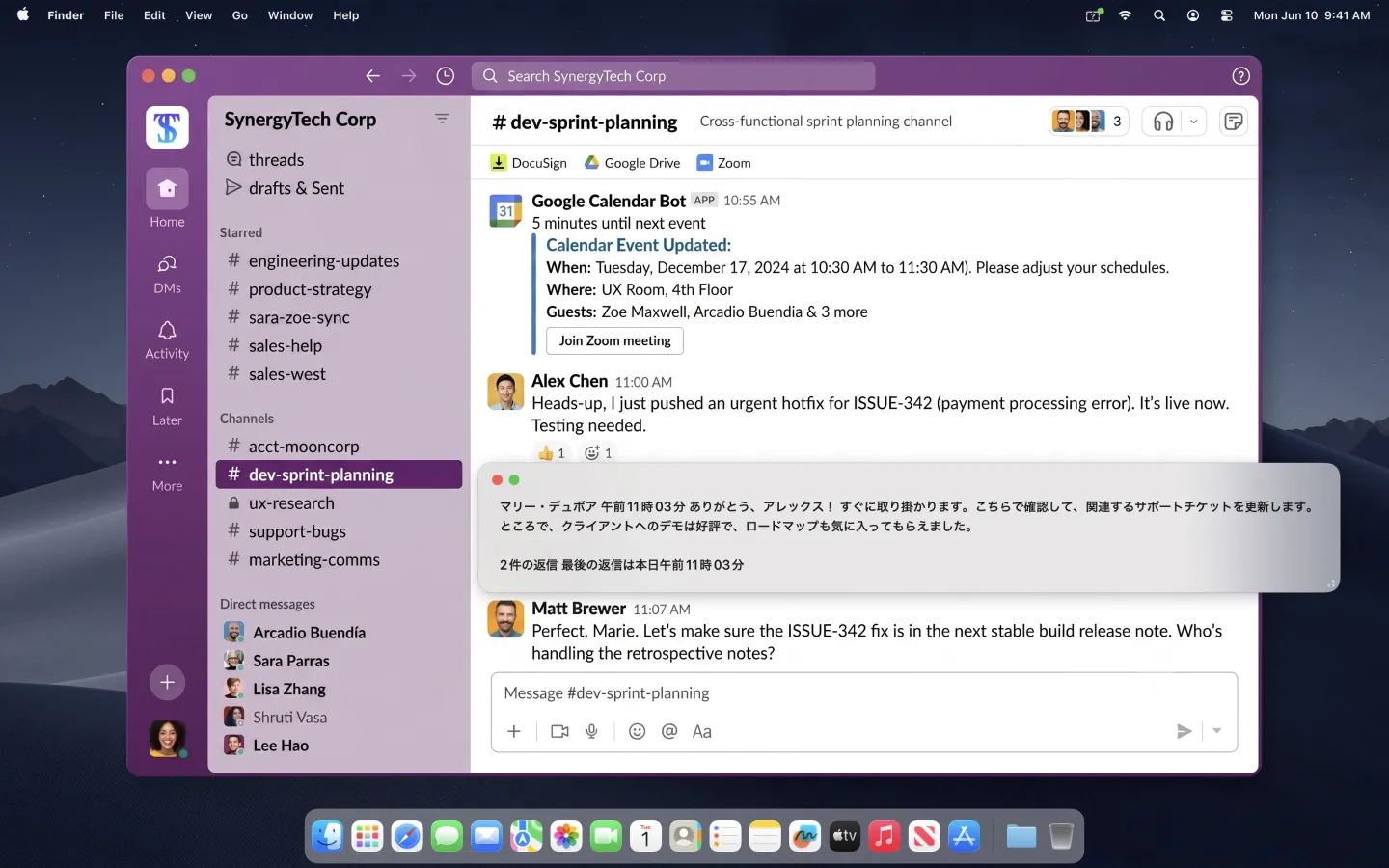
ScrTranslatorは、Macの画面の上に置く「翻訳レンズ」です。翻訳したいテキストにレンズウィンドウを重ねるだけで、下にある文字を読み取り、その場で訳文を表示します。コピー&ペーストも、翻訳サイトへの切り替えも要りません。
Macのこんな画面を翻訳できます
- 海外メンバーとの Slack や Teams のやり取り — メッセージにかざすだけ。会話のテンポを崩しません
- 海外サービスの管理画面やドキュメント — 「ここだけ読みたい」一文をピンポイントで
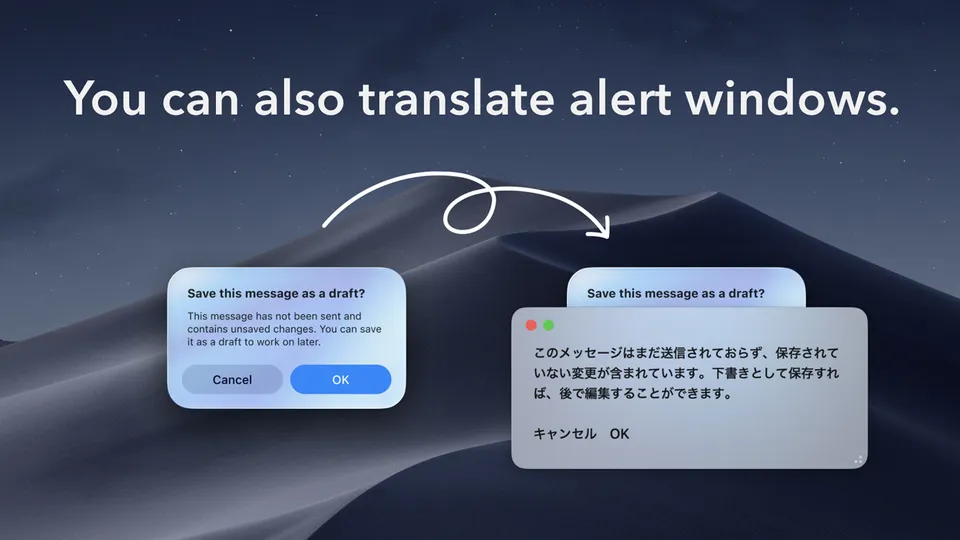
- 突然表示される英語のアラートやエラーダイアログ — コピーできないテキストもそのまま翻訳
- PDF・画像の中の文字・動画の字幕 — 「画面に見えているもの」なら何でも
海外チームとの仕事も、英語のドキュメントも、そのままの場所で。まずは無料でお試しください。
ScrTranslatorの特長
- オンデバイス翻訳 — 通常の翻訳はmacOS内蔵機能を使い、Macの中で処理します
- オフライン対応 — 必要な言語を事前にダウンロードすれば、インターネット接続なしでも利用できます
- 英語⇔日本語は無料 — 回数制限なく画面翻訳を利用できます
- データ収集なし — アカウント登録も不要です
Macで画面翻訳する3ステップ
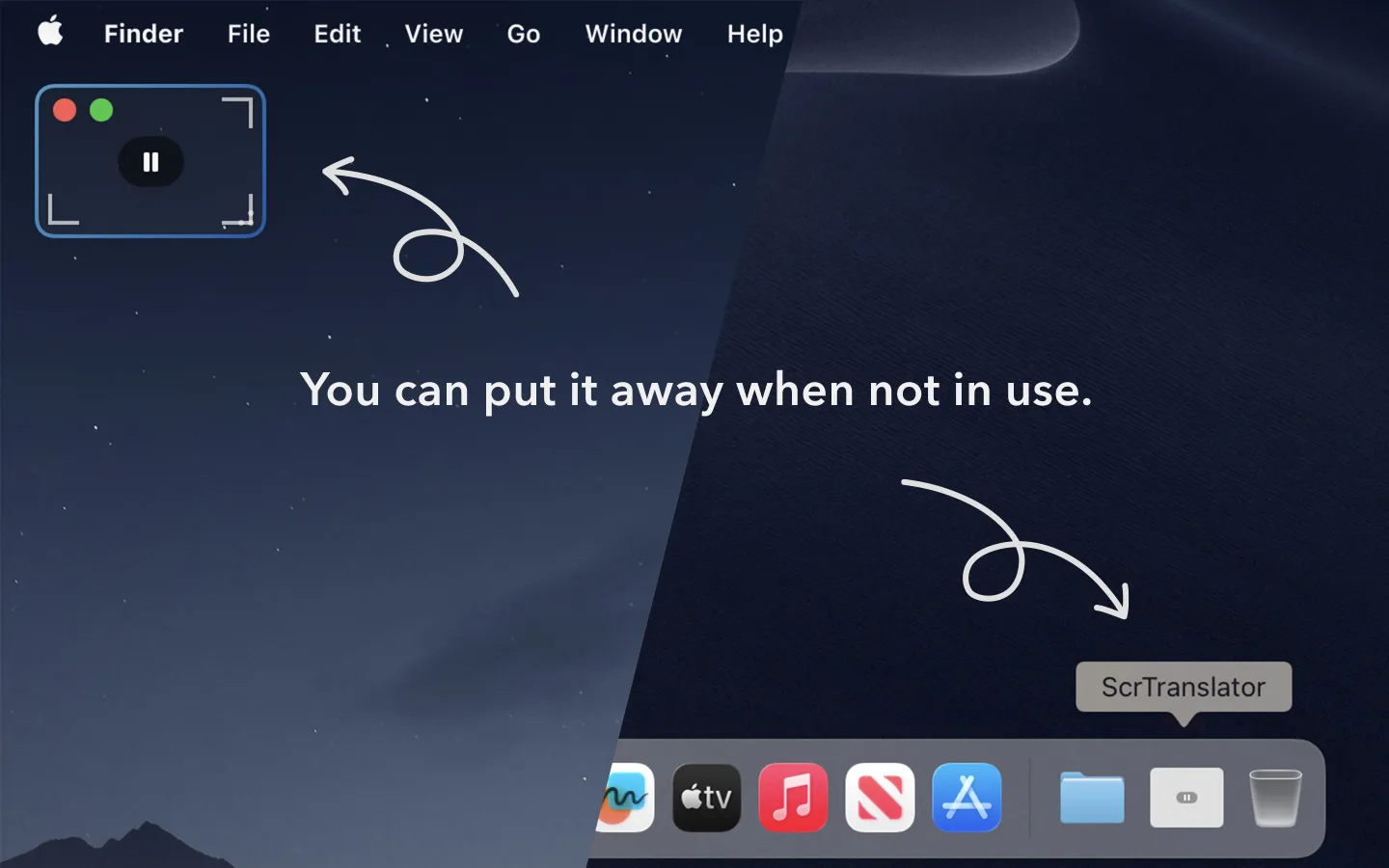
- メニューバーのアイコン、またはショートカット「⌃⌥E」でレンズを開く
- 翻訳したい文字の上にレンズを重ねる
- レンズ内に表示された翻訳をその場で読む
Mac画面翻訳アプリ ScrTranslatorの使用イメージ
Macの画面翻訳についてよくある質問
Macの画面上にあるコピーできない文字も翻訳できますか?
はい。ScrTranslatorはレンズウィンドウの下に見えている文字を読み取るため、画像、PDF、動画字幕、アラートなどの選択できないテキストも翻訳できます。
オフラインでも翻訳できますか?
はい。通常の翻訳はmacOS内蔵の翻訳機能を使用し、Mac上で処理されます。必要な言語をあらかじめmacOSにダウンロードしてください。
利用にはどのmacOSが必要ですか?
macOS 15.2以降に対応しています。画面上の文字を読み取るため、初回利用時に「画面収録」の許可が必要です。